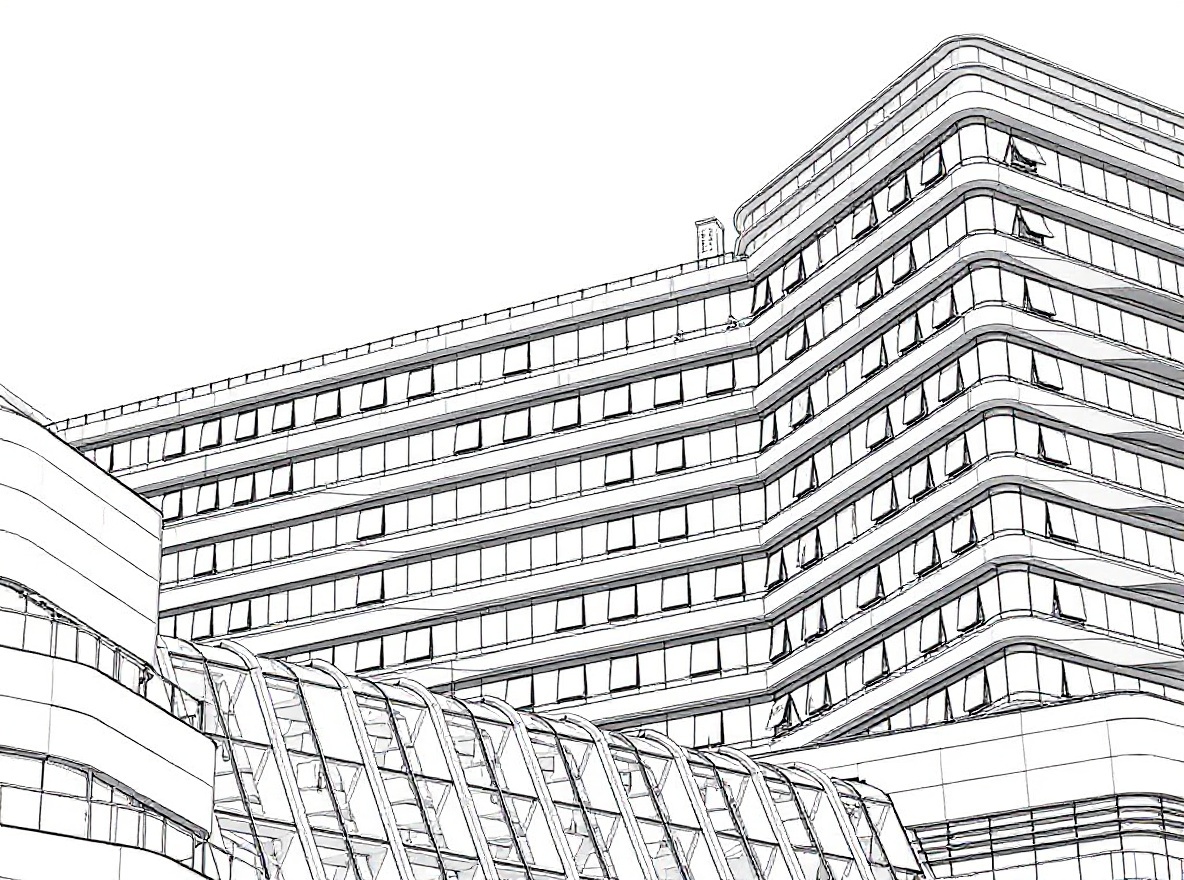
Turn Facade Photos into Architectural Drawings with AI - Complete Guide 2025
Learn how to turn facade photos into professional architectural drawings using AI. Transform building photos into sketch renderings in seconds. Perfect for presentations, concept development, and portfolio work.
Introduction
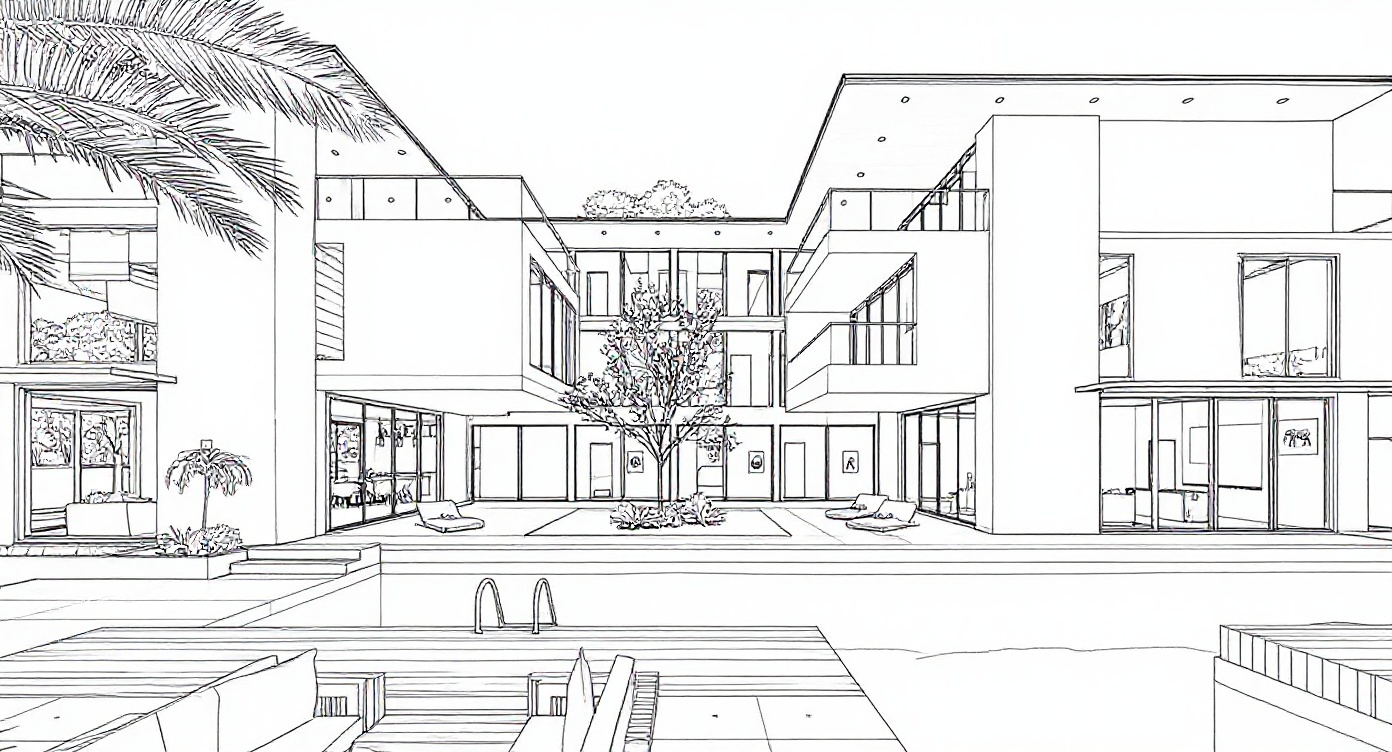
Want to turn facade photos into architectural drawings instantly? Architectural sketch rendering used to take hours of manual drawing. In 2025, AI tools have changed everything - you can now transform building photos into professional architectural sketches in seconds.
Whether you're an architect preparing presentations, a real estate agent creating marketing materials, or a student building your portfolio, learning how to turn facade photos into architectural drawings with AI helps you create compelling visuals quickly and affordably.
Why Convert Photos to Architectural Sketches?
For Professionals
Client Presentations
- Present buildings with an artistic, professional touch
- Show renovation concepts in sketch format
- Create memorable presentation materials
- Stand out from boring photo slideshows
Portfolio & Marketing
- Build a distinctive visual style
- Create social media content that gets attention
- Showcase projects in a unique way
- Appeal to clients who value design aesthetics
Design Development
- Quickly explore different facade ideas
- Test architectural styles before committing
- Communicate concepts to non-technical clients
- Save time on early-stage visualizations
The Practical Benefits
Here's the thing - traditional architectural sketching takes 2-4 hours per image and requires serious drawing skills. AI tools deliver similar results in 10 seconds, with zero artistic ability needed.
The best part? You can regenerate instantly if you don't like the first result. No erasing, no starting over.
Architectural firms report that hand-drawn presentations get 40% better client feedback than plain photos. AI sketch rendering now delivers the same impact at a fraction of the time and cost.
What Makes a Good Architectural Photo?
Not every photo converts well to a sketch. Here's what works best:
Photos That Work Great
✅ Use these:
- Clear daytime shots with even lighting
- Buildings photographed from the front or at a 3/4 angle
- Sharp focus on the building details
- Minimal distractions (fewer cars, signs, people)
- Good weather (avoid heavy shadows or rain)
❌ Avoid these:
- Blurry or low-resolution images
- Heavy shadows or backlit buildings
- Nighttime photos with artificial lights
- Too much foreground clutter
- Extreme upward angles that distort the building
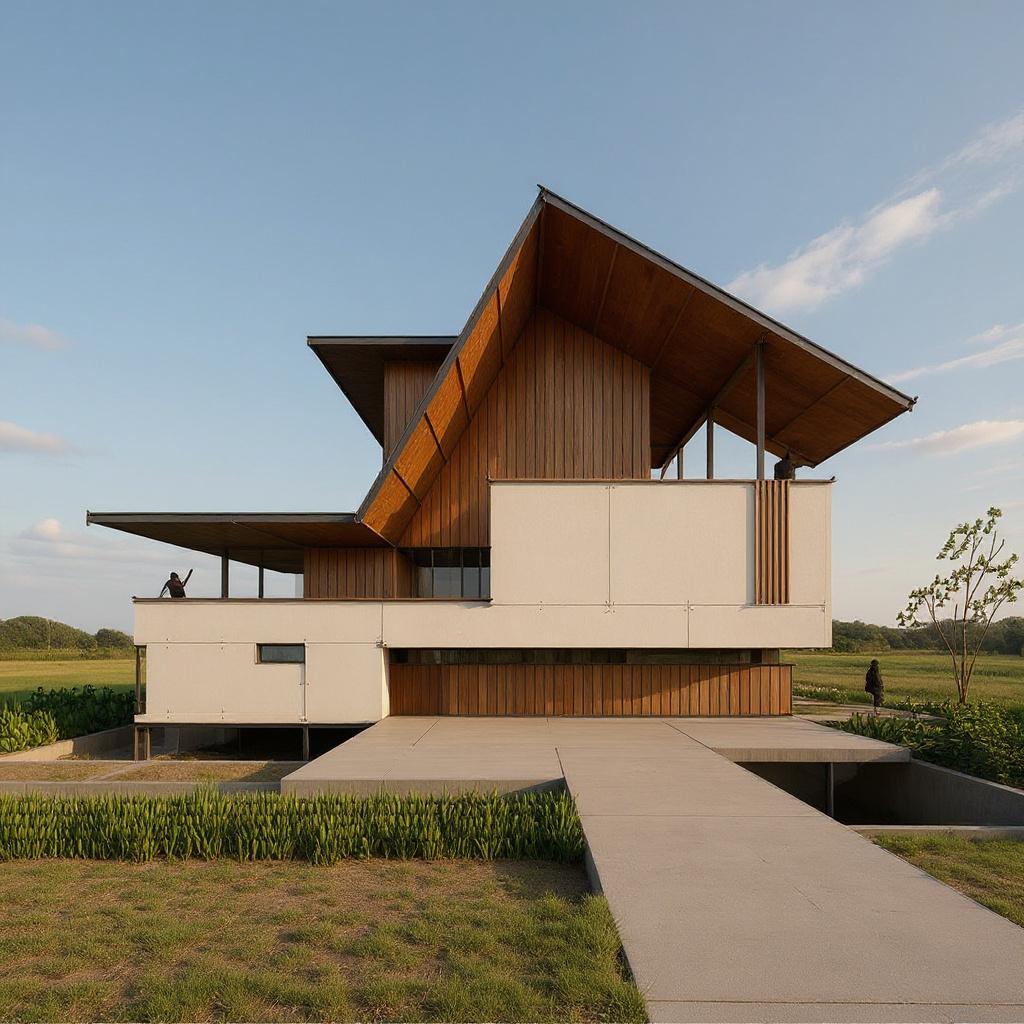
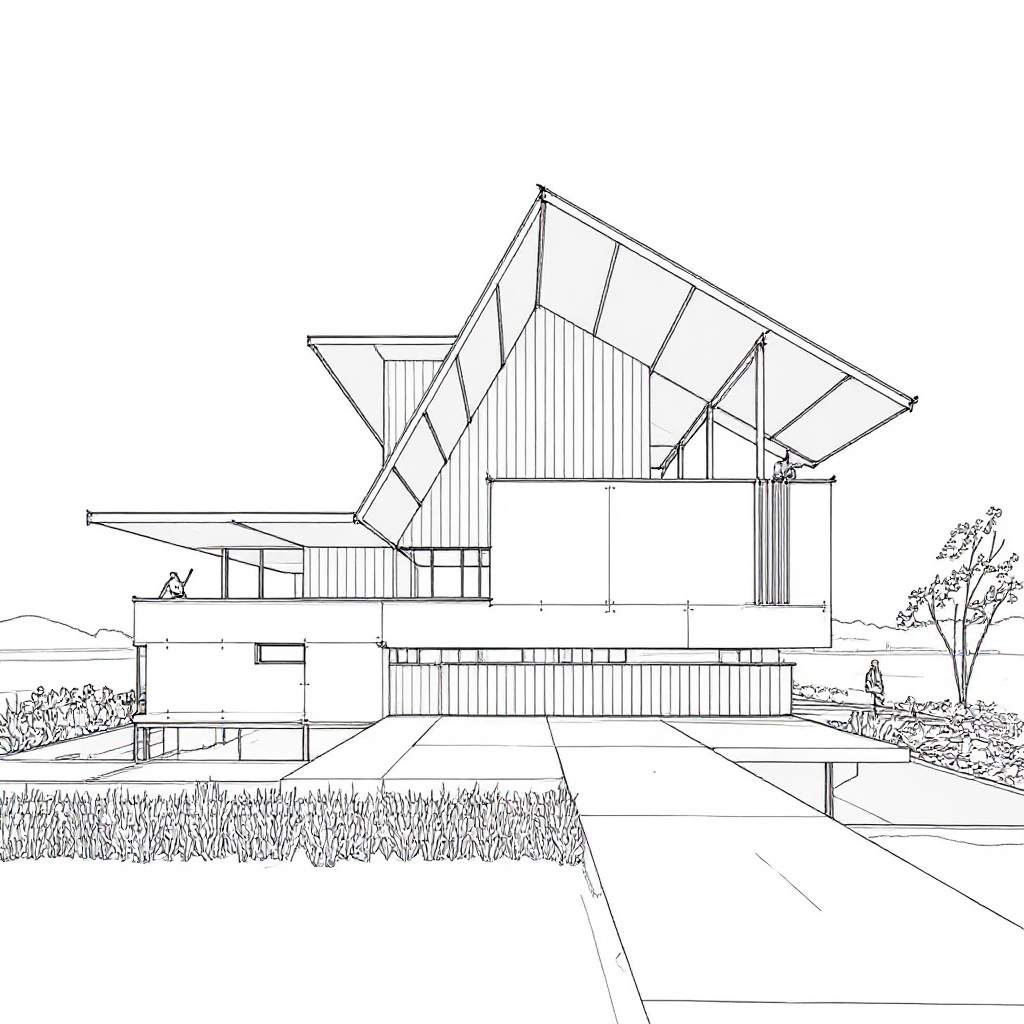
Best Shooting Angles
| Angle | Best For | Quality |
|---|---|---|
| Straight front view | Building facades, presentations | Excellent |
| 3/4 angle view | Showing full building context | Excellent |
| Street level | Natural, relatable perspective | Very Good |
Most users get best results with daytime photos taken from street level, either straight-on or at a slight angle. This mimics how architects traditionally sketch buildings.
Popular Architectural Sketch Styles
Different styles work for different purposes:
1. Pencil Sketch Style
- Soft, hand-drawn look
- Professional and timeless
- Best for: Portfolios, formal presentations, classic buildings
2. Architectural Line Drawing
- Clean, precise lines
- Technical drawing feel
- Best for: Design development, construction docs
3. Charcoal Sketch Style
- Bold, dramatic strokes
- Artistic and expressive
- Best for: Concept presentations, marketing materials
4. Watercolor Sketch
- Soft edges with subtle color
- Warm and approachable
- Best for: Residential projects, lifestyle marketing
How to Create Architectural Sketches with AI
The process is straightforward:
Step 1: Prepare Your Photo
Take or choose a photo following the tips above. If you already have a photo:
- Crop it to focus on the building
- Make sure it's well-lit and sharp
- Remove obvious distractions if possible
Step 2: Choose Your Style
Pick based on how you'll use it:
- Client presentations: Pencil or watercolor sketch
- Portfolio work: Pencil or charcoal sketch
- Social media: Watercolor or charcoal (more eye-catching)
- Technical docs: Architectural line drawing
Step 3: Generate & Download
Upload your photo, select the style, and generate. Most tools process in 5-15 seconds. Download the high-resolution result for printing or digital use.
Step 4: Use It (Optional Enhancements)
You can use the sketch as-is, or enhance it:
- Add annotations or labels
- Combine with floor plans
- Include in presentation boards
- Print on quality paper for portfolio
Real-World Examples
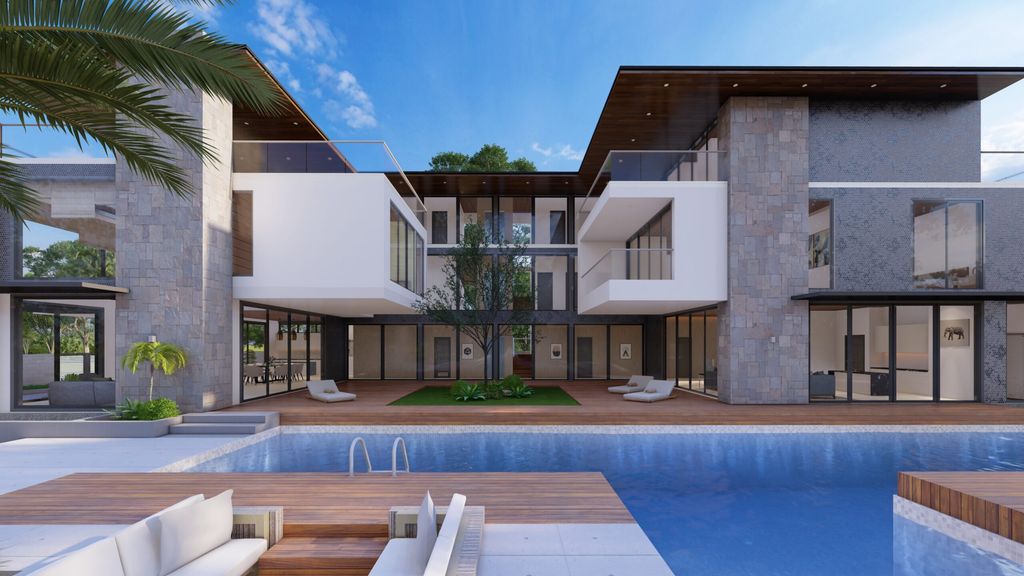
Example 1: Real Estate Marketing
Situation: A property developer needs eye-catching visuals for a luxury condo building.
Solution:
- Professional photos of completed building
- Converted to watercolor-style sketches
- Used in brochures and Instagram posts
Result: 60% more engagement on social media vs regular photos
Example 2: Student Portfolio
Situation: An architecture student wants to showcase internship projects in a consistent style.
Solution:
- Photos of 5 different buildings worked on
- All converted to pencil sketch style
- Created unified portfolio section
Result: Cohesive, professional portfolio that stands out to hiring firms
Example 3: Renovation Proposals
Situation: An architect needs to show existing building conditions for a renovation project.
Solution:
- Current building photos converted to sketches
- Used as "before" images in proposal
- Paired with rendered "after" images
Result: Clients immediately understand the existing conditions in a professional format
AI Tools vs Traditional Sketching
| What You Care About | Traditional Hand Sketching | AI Tools |
|---|---|---|
| Time needed | 2-4 hours | 10 seconds |
| Skill required | Years of practice | None |
| Cost per image | $100-500 (if hiring) | $0.10-1 |
| Can redo easily? | No (start over) | Yes (instant) |
The math is simple: if you need multiple architectural sketches, AI tools save hundreds of hours and thousands of dollars.
Tips for Better Results
Before Converting:
- Use the highest resolution photo you have
- Shoot in good natural light when possible
- Get as close as you can to the building
- Keep the camera level (not tilted up)
After Converting: If you're not happy with the result, try:
- A different sketch style
- Adjusting the original photo's brightness/contrast
- Cropping tighter on the building
- Using a photo from a different angle
For Professional Use:
- Generate multiple angles of the same building
- Use the same style for consistency
- Print on matte paper for an authentic sketch feel
- Consider adding subtle annotations
Pro users often create sets of 3-5 different views (front, side, detail shots) all in the same sketch style for comprehensive presentations.
Frequently Asked Questions
Can I use AI sketches for commercial projects?
Yes, if you took the original photo, you own the rights to use the sketch commercially. Always check your AI tool's terms of service to confirm commercial usage rights.
How do I get the best print quality?
Make sure you're downloading the highest resolution available (at least 300 DPI). Print on matte or semi-gloss paper for the most authentic sketch appearance.
What if the building belongs to someone else?
Buildings themselves aren't copyrighted (with rare exceptions). As long as you took the photo or have permission to use it, you're good to go.
Can I edit the sketch after it's generated?
Absolutely! You can import the sketch into Photoshop, Illustrator, or any image editor to add notes, adjust lines, or make modifications.
Which style should I choose for my first try?
Start with the pencil sketch or architectural line drawing style. They work well for most buildings and are the most versatile for different uses.
Conclusion
AI-powered architectural sketch rendering has made professional-quality visualizations accessible to everyone. Whether you're presenting to clients, building your portfolio, or creating marketing materials, you can now generate compelling sketches in seconds instead of hours.
Quick Recap:
- ✅ Use clear, well-lit photos for best results
- ✅ Different styles serve different purposes
- ✅ AI tools are 100x faster than hand sketching
- ✅ Perfect for presentations, portfolios, and marketing
- ✅ Works even if you can't draw
Ready to turn your building photos into professional sketches? Try it with a single image and see the difference AI rendering makes.
Author
Categories
More Posts
How to Turn Photos into Coloring Pages in 2025 (Free + AI Tools)
Learn how to convert photos into coloring book pages using AI tools. Perfect for creating custom coloring books, tattoo references, educational materials, and personalized gifts.
Creating a Sketch from a Photo: Complete Step-by-Step Guide (2025)
Learn everything about creating a sketch from a photo using AI tools. Step-by-step tutorial covering techniques, tools, and tips for converting photos into beautiful sketches. Free and easy to use.